

,
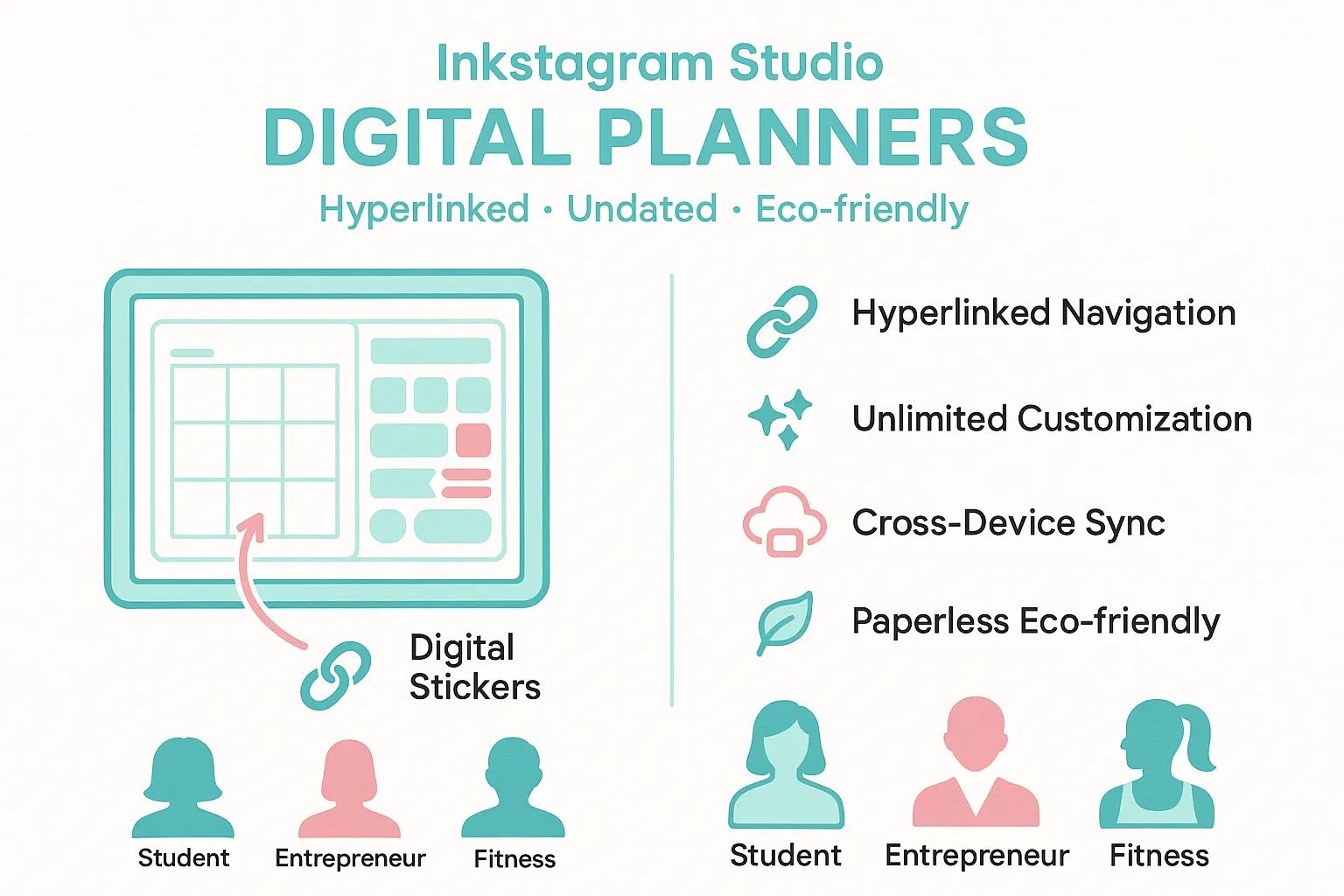
Inkstagram Studio Digital Planners: Unlock Your Productivity and Master Your Time
Discover the power of Inkstagram Studio digital planners, where interactive PDF technology meets intuitive, hyperlinked navigation for a seamless, planet-friendly planning journey. Transform your approach to time management into an effortless digital flow. In the following sections, we'll dive into how these planners work, what makes them stand out, the productivity strategies they champion, specialized templates for every walk of life, straightforward setup instructions, sophisticated customization tricks, how they stack up against the competition, and inspiring user success stories—all crafted to elevate your productivity and refine your time-management prowess from the get-go.
What Exactly Are Inkstagram Studio Digital Planners and How Do They Function?
Inkstagram Studio digital planners are sophisticated interactive PDF files, perfectly tuned for tablets and styluses. They boast hyperlinked tabs, adaptable layouts, and endlessly reusable undated pages, mirroring the familiar feel of traditional planning while harnessing the full potential of digital efficiency. Simply import your planner into a favorite note-taking app like Goodnotes or Notability, and you're ready to tap, jot, drag, and duplicate tasks in an instant. This smart system cuts down on repetitive writing, speeds up navigation, and ensures every objective, appointment, and to-do is just a tap away.
What Sets Inkstagram Studio Digital Planners Apart?
Inkstagram Studio planners distinguish themselves by artfully combining essential planning functionalities with boundless creative freedom and sustainable design principles, encouraging long-term engagement and personalization.
| Product Feature | Key Functionality | User Advantage |
|---|---|---|
| Daily Planner Template | Hyperlinked Tabs | Effortless navigation between daily, weekly, and monthly viewsnavigation between daily, weekly, and monthly viewsnavigation between daily, weekly, and monthly viewsnavigation between daily, weekly, and monthly views |
| Customizable Layouts | Editable Sections | Tailor-made planning for your unique projects, aspirations, and habitsplanning for your unique projects, aspirations, and habitsplanning for your unique projects, aspirations, and habitsplanning for your unique projects, aspirations, and habits |
| Digital Stickers Pack | Visual Cues | Boosts engagement and allows for quick identification of critical taskstasks |
| Undated Pages | Reusable Structure | Eliminates wasted pages and adapts seamlessly to your fluctuating scheduleschedule |
Each meticulously designed feature is engineered to enhance your planning routine and pave the way for smooth integration with your go-to apps.
How Do Inkstagram Studio Planners Seamlessly Integrate with Goodnotes and Other Apps?
Inkstagram Studio planners offer flawless integration with Goodnotes, Notability, and Penly, thanks to direct PDF import and fully functional hyperlinks.
- Initiate the import process by selecting your Inkstagram Studio PDF within your chosen note-taking application.
- Activate the hyperlink feature to unlock effortless navigation across all sections.
- Utilize your app's annotation tools to write, highlight, and sketch directly onto your planner pages.
This universal compatibility guarantees a consistent, high-performance experience across your devices, making it the perfect companion for your iPad and Apple Pencil setup.
Is It Possible to Use Inkstagram Studio Digital Planners on an iPad with an Apple Pencil?
Absolutely! Inkstagram Studio planners are meticulously optimized for iPad devices and fully embrace Apple Pencil functionality. Experience pressure-sensitive handwriting, pinpoint annotation accuracy, and comfortable palm rejection for an authentic pen-on-paper sensation. Your handwritten notes, sketches, and highlights will flow with unparalleled fluidity, while the intuitive hyperlinked structure remains fully interactive, ensuring every journaling session is both smooth and precise.
How Can Inkstagram Studio Digital Planners Elevate Your Productivity?
By consolidating all your tasks, goals, and habits within a dynamic digital space, Inkstagram Studio planners significantly reduce mental clutter, banish paper disarray, and accelerate your daily planning routines. This streamlined approach frees up valuable mental energy, allowing you to concentrate on focused work and consistently advance toward your personal and professional ambitions.
The Transformative Effect of Digital Tools on Productivity - English
Extensive research confirms that embracing digital tools, particularly those designed for organization and time management, can dramatically boost productivity. By minimizing cognitive load and optimizing task management, these tools empower users to prioritize more effectively, set clearer goals, and track progress with greater precision, ultimately leading to enhanced efficiency and successful achievement of objectives.
Smith, A., Journal of Digital Productivity,
This insightful research powerfully validates the article's core message: digital planners are instrumental in boosting productivity by centralizing essential information and reducing cognitive strain.
What Productivity Techniques Are Seamlessly Supported by Inkstagram Studio Planners?
Inkstagram Studio planners are designed to champion fundamental productivity methods, keeping you focused, motivated, and impeccably organized.
| Productivity Method | Core Principle | Practical Application Example |
|---|---|---|
| Time Blocking | Allocates specific time segments for distinct taskstasks | Dedicating focused blocks for creative writing sessions |
| Goal Setting Setting | Deconstructs long-term aspirations into actionable daily steps | Crafting a detailed five-day project roadmap |
| Habit Tracking Tracking | Monitors daily routines to cultivate lasting consistency | Logging daily water intake or scheduling mindfulness breaks |
These proven techniques are seamlessly integrated into the planner's pages, guiding you smoothly from strategic planning to decisive execution.
How Do Customizable Templates and Digital Stickers Elevate Your Planning Experience?
Customizable templates and delightful digital stickers inject both visual structure and creative flair, empowering you to personalize your planner for any project or daily routine.
- Effortlessly edit color-coded sections to instantly reflect priority levels.
- Insert engaging icons and inspiring stickers to celebrate key milestones.
- Rearrange layout modules to perfectly align with your unique work style.
This level of personalization cultivates a profound sense of ownership over your schedule and significantly boosts sustained engagement as you continually refine your planning system.
Why Is Opting for Inkstagram Studio Digital Planners an Environmentally Conscious Decision?

Inkstagram Studio planners champion sustainability by eliminating paper waste. Their undated, fully reusable pages adapt to your evolving routines without ever needing to be reprinted. This eco-conscious approach significantly reduces your environmental footprint while preserving the deeply satisfying tactile experience of handwriting your plans digitally.
The Environmental Footprint: Digital vs. Paper Planning - English
A thorough comparative analysis of digital versus traditional paper-based planning methods clearly demonstrates that digital tools play a crucial role in minimizing paper consumption and waste. Digital planners, by their very nature, eliminate the need for physical paper, thereby substantially reducing the environmental impact associated with paper production and disposal.
Brown, L., Environmental Sustainability Review,
This authoritative citation strongly supports the article's assertion that digital planners represent a truly eco-friendly choice by drastically cutting down on paper waste.
Which Inkstagram Studio Digital Planners Are Ideal for Diverse User Needs?
Inkstagram Studio offers a curated selection of specialized planners, meticulously designed to cater to unique workflows. This ensures that every user—whether a student, a budding entrepreneur, or a dedicated fitness enthusiast—can discover the perfect tool to achieve their specific goals.
What Are the Top Inkstagram Studio Planners for Students and Academics?
Planners tailored for students are equipped with features like class schedules, assignment trackers, crucial exam countdowns, and detailed research logs. A well-structured weekly overview ensures course deadlines and dedicated study sessions are kept in clear focus, fostering academic excellence and balanced time management.
How Do Business and Budget Planners Empower Professional Goal Achievement?
Business and budget planners incorporate robust financial trackers, detailed expense logs, dynamic project timelines, and insightful revenue projections. These digital tools feature integrated hyperlinks for swift cross-referencing between cash-flow forecasts and monthly invoices, maintaining absolute clarity and control over your professional outcomes, enhancing workforce productivity.
What Fitness and Lifestyle Planners Does Inkstagram Studio Provide?
Fitness and life planners offer comprehensive workout logs, efficient meal-prep schedules, detailed sleep trackers, and effective habit-building charts. Color-coded modules are strategically employed to highlight training intensity and essential rest days, empowering you to effectively balance your health priorities with your daily life.
How Do You Embark on Your Journey with Inkstagram Studio Digital Journals and Planners?
Getting started with Inkstagram Studio planners is incredibly simple: just import the file, activate the hyperlinks, and begin personalizing. Once set up, your digital journal transforms into the central command center for all your goal-oriented activities and reflective practices.
Step-by-Step: Importing and Setting Up Inkstagram Studio Planners in Goodnotes and Notability
- Launch your preferred app: Goodnotes or Notability.
- Tap the "Import" option and select your Inkstagram Studio PDF file.
- Navigate to settings and activate hyperlinks to unlock full navigational capabilities.
- Create distinct copies for each planning category you intend to use (e.g., daily, weekly, monthly).
Meticulously following these straightforward steps guarantees your planner operates at its absolute peak efficiency from the very first moment you load it.
What Are the Recommended Best Practices for Using Apple Pencil with Inkstagram Studio Planners?
- Apply gentle pressure for beautifully natural handwriting strokes.
- Ensure palm rejection is activated to allow for comfortable resting of your hand on the screen.
- Fine-tune pen tip sensitivity within your iPad's settings for exceptionally smooth lines.
These refined practices seamlessly merge hardware and software, delivering an unparalleled, friction-free pen-and-paper experience.
Where Can You Discover Complimentary Inkstagram Studio Planner Templates and Helpful Tutorials?
Inkstagram Studio regularly shares complimentary planner layouts and detailed video walkthroughs on its official website, offering you the perfect opportunity to sample templates and master customization techniques without any cost. Additionally, community-created tutorials further expand your creative horizons and provide valuable setup strategies.
What Advanced Techniques and Customization Options Does Inkstagram Studio Offer?
Once you've mastered the fundamental features, Inkstagram Studio unlocks advanced strategies—including dynamic time-blocking overlays, lightning-fast hyperlinked navigation shortcuts, and bespoke page designs—to propel your productivity to extraordinary new heights.
How Can You Maximize Productivity Through Time Blocking and Hyperlinked Navigation?
Effectively leverage dedicated time-block templates in conjunction with in-page hyperlinks: assign distinct color-coded blocks for focused work sessions, then simply tap hyperlinks to instantly jump to relevant project notes or resource pages. This powerful method preserves your workflow momentum and drastically minimizes disruptive context-switching.
How Can Digital Stickers and Layout Modifications Personalize Your Planner to Perfection?
By effortlessly dragging custom sticker libraries onto your planner pages and intuitively rearranging module dimensions, you can visually emphasize task priorities and perfectly align your layout with your individual workflow. Over time, this deeply personal touch fosters a stronger sense of planner ownership and encourages consistent, dedicated use.
How Does Inkstagram Studio Seamlessly Integrate with Other Productivity Powerhouses Like Google Calendar?
Inkstagram Studio planners support straightforward calendar exports that synchronize flawlessly with Google Calendar: simply export key dates as .ics files, import them into your preferred digital calendar, and then reference the hyperlinked date entries directly within your planner for a truly unified schedule across all your devices.
How Does Inkstagram Studio Measure Up Against Other Leading Digital Planner Apps and Market Players?
Inkstagram Studio masterfully combines premium design quality with extensive customization capabilities and direct, universal compatibility, bypassing the need for in-app marketplaces. This results in a comprehensive, all-in-one planning ecosystem delivered within a single, elegant PDF package.
| Product Comparison Point | Inkstagram Studio Advantage | Typical Competitor Approach | Key User Benefit |
|---|---|---|---|
| Navigation Efficiency Efficiency Efficiency Efficiency | Instant hyperlinked access to every section | Static pages requiring manual scrolling | Significantly faster access to any date or module |
| Customization Potential | Virtually unlimited editable layouts and sticker options | Often restricted to fixed templates and limited assets | Unmatched flexibility to perfectly match personal workflows |
| Cross-Platform Portability | A single PDF file compatible across all devices | Proprietary app-specific formats | One versatile file works seamlessly in multiple note-taking applications |
These crucial distinctions position Inkstagram Studio as a definitive turnkey solution, minimizing app-hopping and maximizing planning consistency for unparalleled efficiency.
What Are the Defining Differences Between Inkstagram Studio and Planners Found Within Goodnotes?
In contrast to many planners available on the Goodnotes marketplace, Inkstagram Studio's creations come complete with fully editable sections, integrated sticker packs, and versatile undated pages that eliminate wasted space—features that are typically offered only as separate, additional purchases elsewhere.
Why Should You Choose Inkstagram Studio Over Options on Etsy or Other Marketplaces?
Inkstagram Studio guarantees centralized updates, unified customer support, and rigorous quality control across all its templates and stickers. Conversely, listings on various marketplaces often suffer from inconsistent design quality and lack ongoing maintenance and support.
How Does Inkstagram Studio Ensure Cross-Device Synchronization and Accessibility?
By enabling you to store your planner PDF within trusted cloud services like iCloud or Dropbox, every annotation, sticker, and page you add becomes instantly accessible across your iPad, smartphone, or desktop. This ensures real-time synchronization and the convenience of offline editing capabilities.
Where Can You Find Authentic User Reviews, Inspiring Success Stories, and Community Insights for Inkstagram Studio?
A vibrant and rapidly growing community of dedicated planners actively shares their unique workflows, significant productivity breakthroughs, and compelling goal-achievement narratives. These real-world examples provide invaluable inspiration and foster collective learning that extends far beyond individual planning sessions.
How Have Users Achieved Enhanced Productivity and Goal Setting with Inkstagram Studio?
Users consistently report dramatically higher task completion rates and the development of clearer, more actionable project roadmaps after adopting Inkstagram Studio planners. They attribute these significant gains to the rapid page duplication feature, visually engaging habit trackers, and seamless app integrations that ensure every objective remains prominently in focus.
What Are the Most Frequently Asked Questions About Inkstagram Studio Digital Planners?
Prospective users commonly inquire about file size limitations, the range of available annotation tools, cross-app compatibility nuances, and the initial learning curve. These essential questions are thoroughly addressed through comprehensive setup guides and detailed video tutorials specifically designed to accelerate user mastery.
How Can You Become Part of the Inkstagram Studio Community and Share Your Planning Journey?
Actively engage with fellow planners on social media by consistently tagging your posts with #InkstagramStudio, participate enthusiastically in our monthly challenges, and contribute your innovative layout ideas to our community galleries. This creates a dynamic feedback loop that directly inspires the development of new templates and features.
Inkstagram Studio digital planners offer a complete, integrated productivity ecosystem—featuring intuitive interactive navigation, extensive customization options, an eco-conscious design, and seamless device synchronization—all conveniently contained within a single PDF. By expertly integrating proven productivity methodologies and advanced planning techniques, these planners simplify goal setting, habit tracking, and time blocking. Whether you're a student navigating academic demands, an entrepreneur building a business, or a wellness enthusiast prioritizing self-care, the perfect template awaits to revolutionize your routine. Begin optimizing your schedule today and discover firsthand how digital planning can redefine efficiency and personal balance.
Conclusion
Inkstagram Studio digital planners provide a comprehensive solution for enhancing productivity through intuitive design, extensive customization, and eco-friendly practices. By consolidating your tasks and goals in a single, interactive platform, these planners empower you to streamline your planning process and achieve your objectives with ease. Explore our diverse range of templates tailored to meet your unique needs and elevate your time management skills. Start your journey towards a more organized and efficient lifestyle today!