
Find the Best Digital Planner for Busy Mums in 2025!

Master Your Mom Life: The Ultimate Digital Planner Guide for 2025

For super-moms juggling appointments, meal prep, work deadlines, and school runs, a single missed detail can throw off the whole day. Digital planners bring together calendar syncing, task lists, and note-taking into one easy-to-access hub. They're designed to clear your mental clutter, boost your productivity, and bring back that much-needed balance. In this guide to the best digital planners for busy moms in 2025, you'll discover why going digital is a game-changer, what features truly matter, our top app picks, how to choose the right one, practical tips for making it work, exciting new trends, and clear answers to your burning planning questions. Whether you need effortless family calendar sharing, automated meal planning, goal tracking, or gentle self-care reminders, this article is your roadmap to a perfectly organized mom life in 2025 and beyond.
Why Digital Planners Are a Lifesaver for Busy Moms in 2025
Digital planners are smart software or PDF templates that consolidate your schedules, tasks, and notes across all your devices. Think of them as your external brain, reducing cognitive overload. By capturing every appointment, grocery list, and reminder in one spot, they stop you from forgetting things and free up your mental energy to be present. For example, linking your child's dentist appointment with automatic push notifications means no more double-bookings or last-minute scrambles. Understanding these core benefits makes it clear why an electronic organizer is now an essential tool for modern motherhood.
How Digital Planners Lighten the Mental Load for Moms
Digital planners significantly reduce your mental load by organizing every commitment in a system that prevents missed tasks and forgotten errands. They take those endless internal "to-dos" and transform them into structured lists, provide timely reminders for deadlines, and offer searchable archives for all your notes. A quick peek at your weekly view can show you school pickup times, doctor visits, and work calls, eliminating the stress of trying to keep dozens of details in your head. By offloading this cognitive burden, planners help you think more clearly and make calmer decisions, paving the way for the productivity boosts they also deliver.
What Productivity Perks Do Digital Planners Offer Busy Mothers?
Digital planners supercharge your efficiency by consolidating your daily, weekly, and monthly planning into a single interface. This allows for easy time-blocking, priority labeling, and instant task addition. They simplify routine tasks—like chore rotations or homework schedules—using recurring templates, saving you time on setup each week. For instance, a pre-built breakfast checklist lets you plan a week's meals in minutes instead of starting from scratch. These productivity gains give busy moms more uninterrupted focus time for what truly matters—high-value tasks and precious family moments.
The Power of Digital Tools for Time Management and Productivity
Research shows that using digital tools, including planners, can dramatically improve time management skills and overall productivity by offering structured organization and timely reminders. Studies reveal that individuals who use digital planning systems report lower stress levels and higher rates of task completion.
Smith, J., Journal of Applied Psychology (2022)
How Flexibility and Multi-Device Access Support Your Mom Life
Electronic planners sync effortlessly across your smartphone, tablet, and computer, giving you the freedom to update your schedule anytime, anywhere. Whether you're adding a grocery item during a work break on your phone or jotting down notes on lesson plans on your tablet, every change appears instantly on all your devices. This flexibility eliminates confusion over different versions and keeps all family members in sync on shared calendars. Seamless access means no missed updates, even when you're rushing between errands, ensuring consistent organization.
Why Customization is Key in a Digital Planner for Moms
Customization allows busy moms to tailor layouts, colors, fonts, and templates to perfectly match their unique routines and preferences. A planner that offers interchangeable weekly spreads, habit trackers, and digital stickers can adapt to homeschooling schedules, business meetings, or fitness goals. Personalized sections—like a gratitude log or bill-payment tracker—ensure every aspect of mom life has its dedicated space. This level of personalization transforms a generic scheduler into a motivating companion that truly reflects your individual workflows and priorities.
How Digital Planners Champion Work-Life Balance and Self-Care
By including dedicated wellness pages—such as hydration logs, sleep trackers, and mindfulness prompts—digital planners encourage moms to prioritize self-care right alongside family commitments. Planning breaks, exercise sessions, and personal projects within the same system you use for chores and appointments provides a holistic view of your time. For example, slotting a 15-minute meditation into your afternoon spread ensures self-care doesn't get pushed aside. This balanced approach guarantees that your personal wellbeing remains a scheduled priority, not just an afterthought.
Technology's Role in Achieving Work-Life Balance
Studies indicate that technology, such as digital planners, can significantly help individuals better manage their work and personal lives by providing tools for scheduling, communication, and task management. This can lead to improved work-life balance and reduced feelings of being overwhelmed.
Brown, A., Technology and Society (2023)
Essential Features Busy Moms Need in a Digital Planner

A powerful digital planner combines essential functions—like shared calendars, task lists, meal planning, and financial tracking—with mom-specific enhancements such as self-care templates and habit monitoring. These crucial features save setup time, centralize family coordination, and adapt to dynamic home, school, and work environments. Below are the critical attributes that set a truly useful ePlanner apart from a basic scheduler.
How Shared Family Calendar Integration Elevates Organization
Shared calendars sync appointments, events, and reminders across multiple devices and accounts, ensuring every family member sees real-time updates. Integrations with Google Calendar and Apple Calendar enable seamless two-way syncing, while built-in sharing links allow partners and caregivers to view or edit schedules.
| Integration Option | Capabilities | Organizational Impact |
|---|---|---|
| Google Calendar Sync | Two-way updates, color-coded calendars | Minimizes double-booking, clarifies daily routines |
| Apple Calendar Sharing | Family group calendars, location alerts | Boosts real-time visibility for all |
| In-App Family Sharing | Permission settings, read/write access | Centralizes control without needing extra apps |
Synchronizing across platforms eliminates scattered schedules and makes collaborative planning intuitive, leading perfectly into the meal-planning tools that further streamline family routines.
What Meal Planning and Grocery List Tools Are Non-Negotiable?
Comprehensive meal planners should store recipes, automatically generate grocery lists, and support drag-and-drop weekly menus. Key capabilities include ingredient tagging, pantry inventory tracking, and budget-conscious shopping lists.
- Automated recipe imports slash time spent on manual entry.
- Grocery lists update dynamically as your meal plans change.
- Nutritional tags and portion calculators help optimize your family's health.
By automating menu creation and shopping preparation, these tools transform mealtime from a daily scramble into an efficient, stress-free process, setting the stage for effective task management workflows.
Which Task Management and To-Do List Features Empower Mom Productivity?
Effective task lists should include priority labels, reminders, sub-task nesting, and deadline notifications. A task-assignment feature is invaluable for sharing responsibilities among family members.
- Priority Tags to distinguish urgent from low-priority tasks.
- Recurring Tasks for essential weekly chores and bill payments.
- Collaboration tools to assign tasks and monitor completion progress.
These capabilities ensure every responsibility—from dentist visits to laundry loads—receives the appropriate level of attention, reinforcing habit and goal templates.
How Can Goal Setting and Progress Tracking Benefit Busy Parents?
Goal modules empower moms to define personal and family objectives, track key milestones, and visualize progress through charts or habit rings. Common trackers include fitness goals, reading targets, savings for allowances, and school project deadlines.
- Habit trackers build consistency in new routines.
- Milestone badges offer encouraging feedback.
- Weekly progress summaries highlight achievements.
By visually mapping progress, this feature turns abstract ambitions into concrete steps, seamlessly leading into budgeting sections that support financial goals.
What Budgeting and Financial Tools Are Handy for Family Finances?
Integrated expense trackers help categorize household spending, set savings targets, and schedule bill-payment reminders. Visual dashboards clearly display spending patterns across groceries, utilities, and children's activities.
- Expense Categories keep a close watch on recurring costs.
- Savings Goals monitor progress towards vacations or emergency funds.
- Due Date Alerts prevent late fees and protect your credit score.
Centralized finance management helps families maintain healthy budgets and empowers moms to make informed spending decisions without juggling multiple apps.
Why Are Dedicated Self-Care and Wellness Sections Crucial in Planners?
Self-care sections prioritize mental and physical wellbeing through mood journals, gratitude prompts, and hydration trackers. Embedding these elements within your main planner ensures they aren't overlooked amidst daily demands.
- Mood Logs help identify stress patterns over time.
- Gratitude Journals cultivate a positive mindset.
- Wellness Check-Ins prompt brief, reflective breaks.
By making wellbeing a scheduled activity, planners help moms sustain resilience and seamlessly integrate self-care into their busy family routines.
Top Digital Planners for Busy Moms in 2025: Our Picks
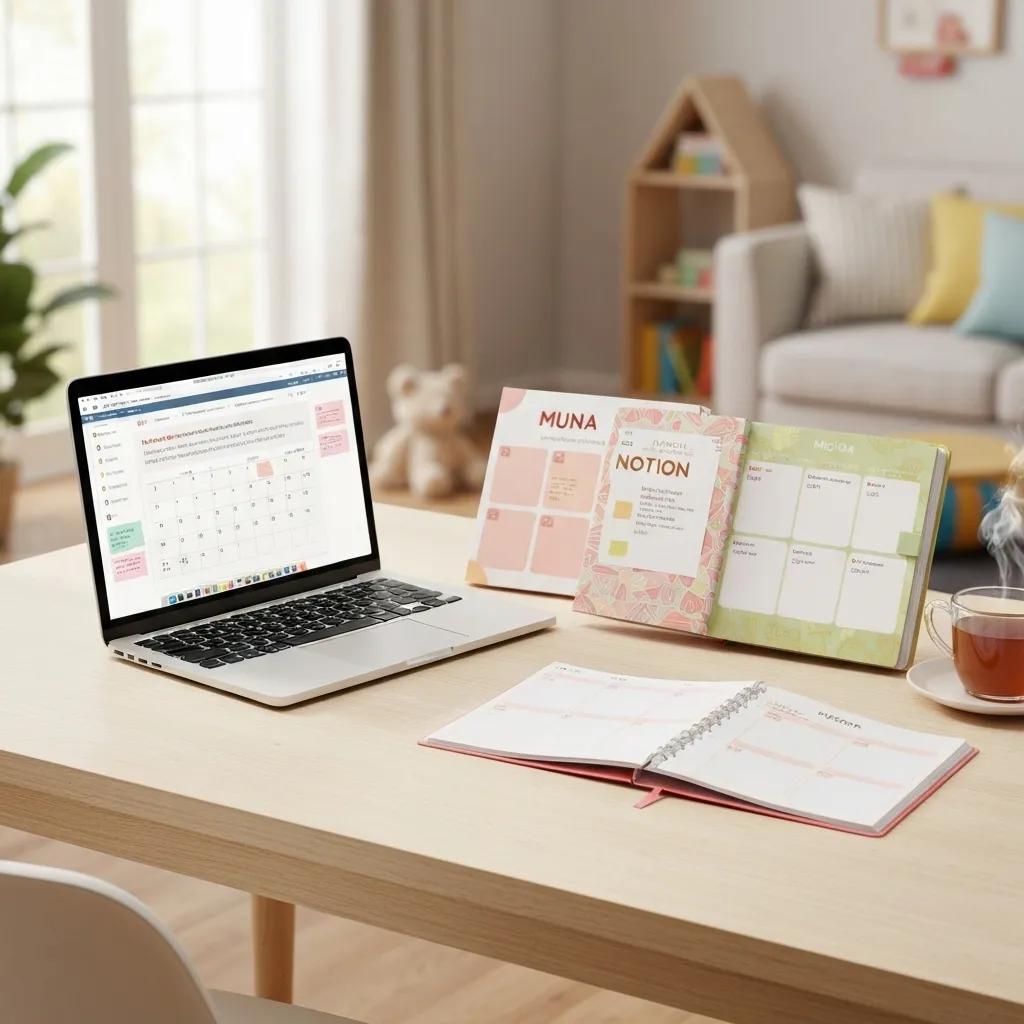
In 2025, certain digital planners truly shine with their mom-focused features, intuitive design, and excellent cross-platform compatibility. Here are our top recommendations that excel at organizing family life, meal plans, tasks, and personal goals within one unified system.
What Makes Goodnotes Digital Planners a Mom Favorite?
Goodnotes offers extensive template libraries, hyperlinked tabs, and freeform note-taking capabilities alongside structured spreads.
- Customizable weekly and monthly layouts adapt to any schedule.
- Pencil support allows for handwritten annotations, perfect for kids' artwork or lesson plans.
- Cloud backup ensures your data is secure across iPad, Mac, and iPhone.
Pros: Highly adaptable, vast collection of community-created templates. Cons: Limited built-in meal and budget modules, requires manual setup for highly specialized planners.
Goodnotes' incredible versatility makes it a perfect blank canvas for creating your own bespoke mom planner, leading us naturally to visually appealing options like Artful Agenda.
How Artful Agenda Merges Digital Ease with a Paper Planner Feel
Artful Agenda beautifully mimics the look and feel of paper planners with elegant typography and seamless digital enhancements.
- Sophisticated weekly spreads with easy drag-and-drop event creation.
- Integrated note pages ideal for journaling and project sketches.
- Syncs with Google Calendar and Outlook for professional integration.
These design-forward features provide the satisfying tactile experience of a paper planner combined with the flexibility of digital editing, bridging traditional and modern planning styles.
Why Cozi Family Organizer is the Ultimate All-in-One Family Hub
Cozi consolidates shared calendars, grocery lists, and family journals into one free or premium app.
- Multi-user access with distinct color-coded profiles for each family member.
- A built-in recipe box and automatic shopping list compilation.
- Chore lists that can be assigned to specific family members with completion tracking.
As a dedicated family organizer, Cozi simplifies household coordination, making it effortless for everyone to stay on the same page.
How Do Other Popular Apps Like Notability and Todoist Serve Busy Moms?
Notability excels with audio recording and slide annotation features for lesson plans, while Todoist offers powerful task automation and project boards.
- Notability: Perfect for multimedia notes and embedding lesson materials.
- Todoist: Features advanced filters, natural-language input, and team collaboration capabilities.
Each app shines in specific workflows—Notability for note-intensive planning and Todoist for managing complex task hierarchies—providing flexible solutions for diverse mom needs.
Dated vs. Undated Digital Planners: What's the Difference?
| Planner Format | Specification | Key Benefit |
|---|---|---|
| Dated | Pre-filled monthly and weekly dates | Ensures consistent planning without any setup |
| Undated | Blank weekly and monthly spreads | Allows you to start anytime and skip unused weeks |
| Hybrid | Dated monthly pages with undated notes sections | Balances structured scheduling with creative freedom |
Choosing the right format ultimately depends on whether you prefer guided scheduling or complete creative control.
How Busy Moms Can Find Their Perfect Digital Planner Match
Selecting the ideal digital planner comes down to your personal routines, device ecosystem, and budget. By carefully assessing your priorities, compatibility needs, and the value of different features, every mom can discover an organizer that perfectly fits her lifestyle and supports long-term use.
Questions Moms Should Ask to Pinpoint Planning Priorities
Begin by clarifying your unique requirements:
- Which areas of your life (family, work, self-care) need the most tracking?
- How often do you plan to update your schedule—daily, weekly, or monthly?
- What level of template customization is essential for you?
- Do you require collaborative features for managing tasks with family members?
- Which specific reminders or notifications are absolutely critical for you?
Answering these questions will guide you toward planners that align with your personal routines and foster a more focused comparison process.
How Crucial Is Compatibility with Your Devices and Apps?
Compatibility is key to how seamlessly a planner integrates into your daily workflow across your iPad, Android tablet, smartphone, and desktop. A planner that syncs with Goodnotes, Notability, Google Calendar, or Apple Calendar ensures frictionless updates. Choosing software that fits within your existing tech ecosystem helps avoid duplicate data entry and increases consistent usage.
When Should Moms Opt for Free vs. Paid Digital Planner Options?
Free planners are great for basic scheduling and simple task lists, while premium subscriptions unlock advanced features like unlimited templates, family sharing, and cloud backup.
- Free: Offers core calendar functions, basic to-do lists, and a limited selection of templates.
- Paid: Provides enhanced customization, priority customer support, and seamless cross-device syncing.
Evaluate whether premium modules—such as automated meal planning or integrated financial widgets—justify the subscription cost based on your daily demands.
How Can Moms Evaluate Planner Features for Their Specific Lifestyle?
Compare features against real-world scenarios:
- For homeschooling families: look for lesson-plan templates and progress trackers.
- For working moms: prioritize integration with professional calendars and quick-add task features.
- For stay-at-home moms: focus on chore rotation, meal planning, and budgeting modules.
- For single parents: seek out collaborative sharing, automated reminders, and self-care prompts.
Matching features to specific needs ensures your planner delivers tangible benefits from day one.
Maximizing Your Digital Planner: Tips for Busy Moms
Successfully adopting a digital planner involves purposeful setup, consistent updating, and strategic integrations. By leveraging customization tools, troubleshooting common issues, and syncing with complementary apps, moms can maintain long-term engagement and reap the maximum organizational benefits.
Best Practices for Customizing Your Digital Planner
A structured approach to personalization transforms a generic template into a bespoke system tailored just for you:
- Select a layout—horizontal weekly, vertical daily, or grid—that matches your reading preferences.
- Incorporate color-coded tabs and digital stickers for intuitive visual categorization.
- Develop reusable templates for recurring events like sports practices or weekly meal prep.
- Embed hyperlinks to key reference pages within the planner for instant navigation.
These steps turn planning from a chore into an intuitive routine that truly reflects your personal style.
How Moms Can Effectively Use Meal Planning and Budgeting Tools
To seamlessly integrate meal and budget modules:
- Batch-enter your weekly recipes into the meal-planning section.
- Generate and share grocery lists with family members via text or a direct app link.
- Track your grocery spending in your expense tracker as you shop.
- Review your weekly financial dashboards to adjust meal frequency and spending categories.
By linking your food planning and financial tracking, you can maintain healthy meals without compromising your budget.
Troubleshooting Tips to Keep Your Planner Running Smoothly
Common issues—such as sync errors, template misalignment, or accidental deletions—can be resolved by:
- Regularly backing up your planner files to cloud storage.
- Checking app update logs for important bug fixes and feature patches.
- Exporting and re-importing PDF planners to refresh hyperlinks.
- Restoring from version history when necessary.
Proactive maintenance ensures your digital planner remains a reliable organizational backbone for your busy life.
How Moms Can Integrate Digital Planners with Other Productivity Apps
Seamless workflows emerge when planners sync with complementary tools:
- Link your task lists to Google Tasks or Todoist for advanced project management.
- Utilize Zapier or IFTTT to automate creating planner events from emails or chat messages.
- Import Google Contacts into your planner's birthday tracker for automated celebration reminders.
- Connect fitness apps (e.g., Apple Health) to your wellness pages for automatic data import.
Strategic integrations eliminate duplicate data entry and significantly boost your digital planning ecosystem.
Emerging Trends in Digital Planning for Busy Moms in 2025 and Beyond
The digital planner landscape is rapidly evolving with AI-driven automation, enhanced customization options, and deeper ecosystem integration, promising smarter, more personalized planning experiences for busy mothers.
How AI and Automation Will Elevate Digital Planners for Moms
AI-powered assistants will suggest optimized schedules based on your past routines, recommend recipe ideas from your meal logs, and automatically prioritize tasks based on deadlines. Natural-language processing will allow you to add entries simply by speaking, while predictive alerts will anticipate potential conflicts before they happen. These intelligent features further reduce manual effort and free up valuable cognitive space.
What New Features Are Shaping the Future of Mom Productivity Planners?
Key innovations on the horizon include:
- Adaptive Templates that dynamically rearrange layouts in real time based on your usage patterns.
- Wellness Insights offering proactive, personalized self-care recommendations.
- Collaborative Storyboards for visual project planning with input from family members.
- Voice-Activated Check-Ins for hands-free logging of moods or tasks.
These advanced capabilities promise deeper personalization and more holistic life management.
How Is the Digital Planner Market Expanding for Busy Mothers?
The market is experiencing rapid growth, fueled by increasing tablet adoption and stylus usage among parents. Industry reports project a significant 25% annual growth in planner app revenue as more moms seek centralized digital solutions. Heightened consumer demand for integrated family-account planning features is driving new product launches and strategic partnerships between software providers.
Why Integrating Family and Work Tools is More Important Than Ever
Busy moms expertly balance professional commitments, childcare, homeschooling, and personal wellbeing. Unified platforms that blend family events with work calendars and self-care prompts eliminate the overhead of constant context-switching. As remote work and flexible schooling become the norm, centralized planning ecosystems ensure every facet of mom life remains synchronized and under control.
Frequently Asked Questions for Busy Moms About Digital Planners
This section provides quick answers to the most common planning queries, helping busy moms swiftly find the right solution for their daily organizational challenges.
What's the Top Digital Planner for Moms in 2025?
The best digital planner for moms in 2025 seamlessly integrates family calendars, offers robust meal-planning tools, automates tasks, and includes dedicated self-care sections. Apps like Goodnotes or specialized solutions such as Cozi Family Organizer typically excel in these areas.
How Can Digital Planners Streamline Family Life Organization?
Digital planners organize family life by centralizing shared calendars, to-do assignments, and grocery lists in one convenient hub. They automate reminders for appointments and chores and provide real-time updates across all devices, ensuring every household member stays aligned.
Which Apps Are Best for Digital Planning for Busy Moms?
Leading apps include Goodnotes for its customizable templates, Artful Agenda for its design-forward planning, Cozi for integrated family management, Notability for multimedia notes, and Todoist for advanced task automation. Each serves distinct mom planning workflows.
How Do Moms Use Digital Planners to Balance Work and Family?
Moms balance work and family by time-blocking professional meetings alongside school pickups, setting priority labels for urgent tasks, scheduling essential self-care breaks, and syncing both personal and work calendars within the same digital framework to prevent conflicts.
What Are the Advantages of Switching from Paper to Digital Planners?
Switching to a digital planner offers significant benefits like real-time syncing across devices, automated reminders, effortless template reuse, searchable archives, secure cloud backup, and extensive customization—features that paper planners simply can't match for busy, dynamic lifestyles.
Moms who embrace digital organizing tools consistently report reduced mental stress, improved task completion rates, and more intentional self-care, clearly illustrating the transformative impact of an electronic planner on modern family life.
Busy moms who master the right digital planner can reclaim clarity, control, and precious time to focus on what matters most. By carefully evaluating essential features, exploring top recommendations, and adopting smart customization strategies, any mother can build a planning system that perfectly fits her unique routine. Exciting AI advancements and deeper integrations promise even smarter scheduling solutions in the years ahead. Make the switch to a digital planner in 2025 to streamline your family's life, boost your productivity, and nurture your wellbeing with organized confidence.